A reliable BIM-to-visualization handoff preserves source revision, units, coordinates, object identity, material mapping and external dependencies. Test one update before building the finished scene. Successful import is only the first check; the recipient must also know what changes when the design model changes.
A model can open without errors and still be a poor production source. Doors may disappear, materials may collapse into one slot, textures may point to another person’s drive, and every object may receive a new identity on export. These problems become expensive after cameras, lighting and material overrides have been applied.
Agree the exchange purpose and application versions
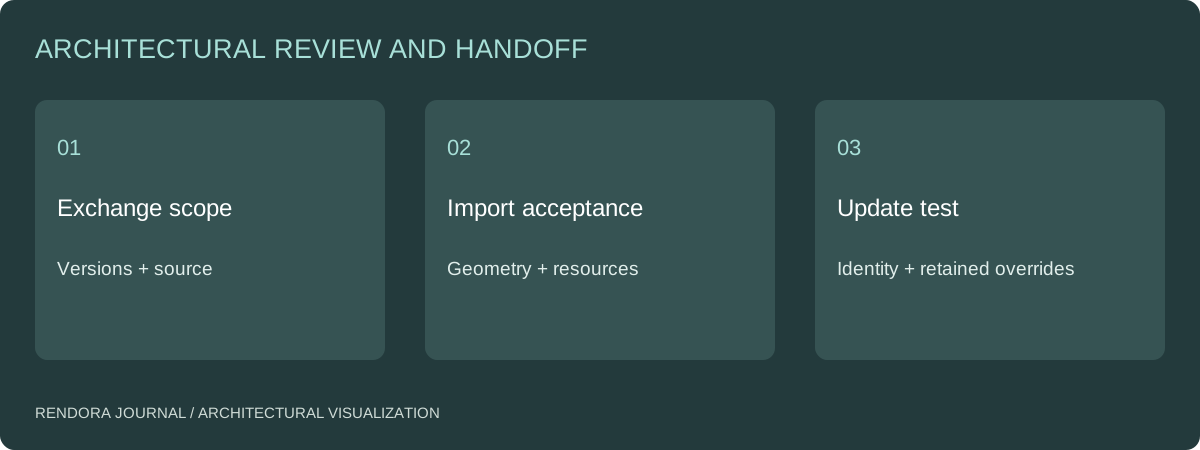
Name the source application, target application, versions and chosen exchange route. Decide whether the recipient needs a visual mesh, object-level update links or structured building information. These are different handoffs. A lightweight mesh may be entirely suitable for one still image, while repeated design updates need a more stable mapping.
IFC is an open building-information exchange standard.[1] Its role does not mean every visualization application reads every source property, and renaming a file does not create a supported import path. Test the actual exporter, importer and relevant model content together.
Clean the source without destroying traceability
Create an intentional export view or collection. Include what the agreed cameras and update process need. Exclude irrelevant hidden geometry and confidential information where appropriate, but retain the source model unchanged. Record the export settings so another team member can reproduce the file.
Check linked models and external textures. Package permitted dependencies using stable relative locations or the exchange system’s supported resource process. A scene that works only on the exporter’s workstation is not a complete handoff.
| Handoff layer | Check before detailed rendering | Update risk |
|---|---|---|
| Coordinates | Known point, direction and distance | Reimport shifts the building |
| Geometry | Openings, faces and visible assemblies | Missing or inverted surfaces |
| Identity | Stable objects or documented replacement strategy | Overrides attach to the wrong object |
| Materials | Source codes mapped to target slots | Finish changes are lost or over-applied |
| Dependencies | Textures and linked references available | Missing resources on another machine |
| Revision | Source issue and export settings retained | Nobody can reproduce the accepted base |
Run a controlled update test
Choose one object that will be visible in the final view. Change a documented property or location in the source, export or synchronize again, and inspect the result in the recipient application. Check both the intended change and the elements expected to stay fixed.
Record whether material overrides, camera locations and object assignments survive. If they do not, define a replacement or remapping procedure before the scene becomes complex. The test should be small enough to diagnose, not a full-model refresh with hundreds of unrelated design changes.
Epic’s Datasmith Direct Link documentation describes an update connection between supported source and destination applications.[2] Use that documented route where it fits the project, while still verifying the behavior of the actual model. A synchronization feature does not remove the need for revision ownership.
Map materials as decisions, not colors
A source material named “white” is rarely enough to identify a facade specification. Maintain a mapping from source material ID to the proposed product or sample and the visualization material. Keep temporary artist interpretations separate from approved finishes.
When the design changes, ask whether the change affects geometry, finish assignment or only the visualization treatment. This makes selective rebuilding possible. It also lets the reviewer understand why a new image differs from the previous version.
For site positioning, attach the coordinate handoff. For the final image task, attach the visualization brief. The model exchange and image scope should point to the same source revision.
Deliver an acceptance record with the files
Use the BIM-to-visualization handoff sheet to record imported geometry, coordinate checks, material mapping, dependencies and the update test. Fill the result cells only after checking the actual recipient file.
The Rendora architecture workspace can store source references and build comparison records from supplied scenario information. Its current reference-file storage does not parse an uploaded IFC or RVT into building geometry. Prepare and verify the visualization model through the chosen exchange workflow, then retain the source evidence with the review.
Model-exchange questions
Should I export everything from the authoring model?
Export the agreed scope and retain the authoritative original. Excess detail can increase scene complexity, but removing objects without a record can hide important design information. Use an explicit export view and check it against the intended cameras.
What if object IDs change on every export?
Treat that as an update constraint. Test whether the chosen exchange route can preserve useful identity; otherwise document how objects and materials will be remapped and include that work in the production scope.
References
[1] buildingSMART, Industry Foundation Classes.
[2] Epic Games, Using Datasmith Direct Link. Supported applications and exchange behavior should be checked for the versions used by the project.
About the author
Rendora Journal covers configurable assets, production checks and traceable delivery workflows.