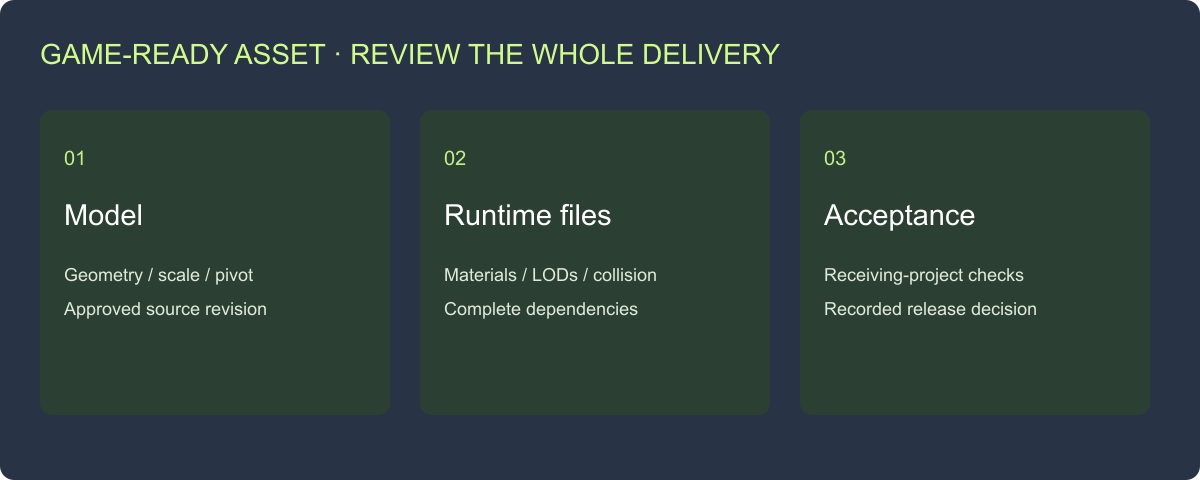
The artist sends a polished preview and a download link. Your developer opens the package and finds an unnamed collision mesh, missing textures and three files labeled “final.” The model may look finished, but the handoff still needs work.
Accept a game asset against a written brief, readable files and a recorded test in the receiving project. Review geometry, scale, pivot, materials, LODs and collision, then check any asset-specific behavior. Give each finding an owner and a clear retest.
This checklist starts with a static prop. It works for an outsourced crate, a purchased chair or an internally produced environment object. Character, weapon and vehicle deliveries add their own behavior checks. Download the asset acceptance worksheet and use the sections that match the asset’s job.
Agree the acceptance brief before the first export
“Game-ready” becomes useful when both sides agree what the game needs. Specify the asset type, engine version, target platform, viewing conditions and intended interactions. A decorative object behind a fence has different collision and detail needs from an object the player can pick up and examine.
Record a reference dimension and units, the intended origin, required materials and allowed variations. For lighting, state whether the project uses a supplied lightmap UV set or generates one during import.[3] For derivatives, list the required LOD and collider files with their roles.
| Brief field | Decision to record | Reviewer |
|---|---|---|
| Identity | Asset ID, source revision and approved appearance | Art lead |
| Destination | Engine version, importer and target platform | Technical artist |
| Geometry budget | Per-LOD triangle limits and intended viewing distance | Art/engineering |
| Materials | Texture roles, maximum dimensions and shader route | Technical artist |
| Interaction | Collision purpose, openings and moving parts | Gameplay owner |
| Delivery | Files, editable sources, rights and acceptance evidence | Producer |
Use project-approved numbers for the budget. A triangle count is one production constraint; the scene’s materials, instances, lighting and target hardware also affect runtime cost. Record those conditions before treating a small file as an efficient asset.
Review one sample before commissioning a batch
Ask for one representative asset through the entire handoff: source, textures, derivatives and receiving-project test. This reveals export and naming problems before they are repeated across a set.
For example, a planning brief for a supply crate could specify a lid that stays closed, a floor-contact pivot, three supplied LODs and collision that allows the player to walk around the crate. Review the first crate against those tasks. If the brief later adds an opening lid, create a new requirement for component structure, pivot and interaction rather than treating it as a color change.
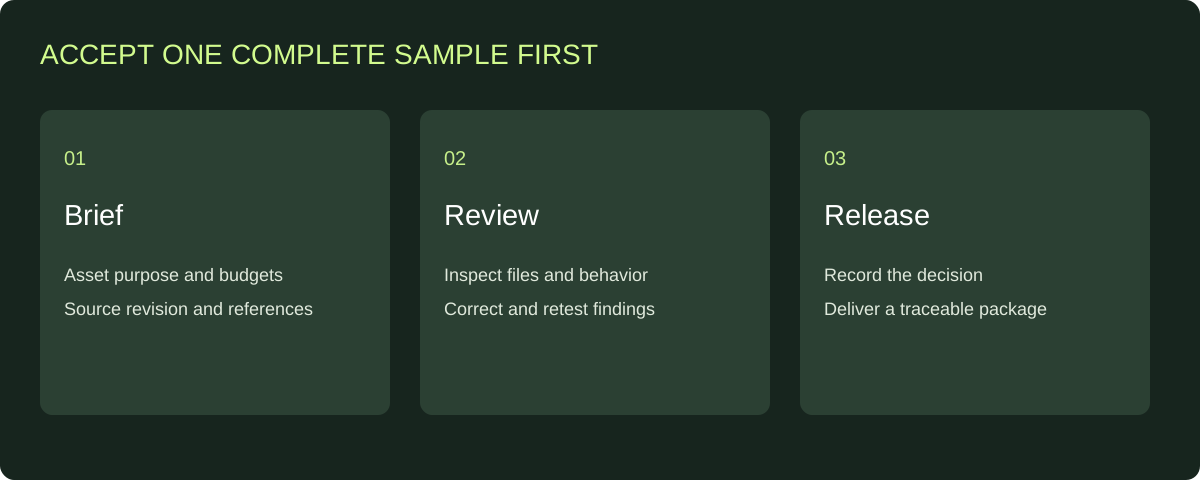
Use the first complete sample to settle the workflow before expanding the asset set.
Check the actual model, scale and pivot
Open the delivered file independently of the artist’s preview. Compare its visible construction with the approved references. Inspect the rear, underside and any surfaces the player will see during interaction. Look for missing faces, flipped shading, unintended duplicates and components that moved during export.
Measure the reference dimension in the receiving scene. Then place the asset on a known surface and rotate it around its intended pivot. A floor prop should sit and rotate as the gameplay requires; a modular wall needs a pivot and dimensions that support the agreed snapping grid.
Keep the editable master separate from the optimized runtime versions. If the agreement includes source files, open those sources and verify their dependencies too. A lightweight derivative is useful for runtime delivery, while the retained source supports later repairs.
| Check | Action | Acceptance evidence |
|---|---|---|
| File integrity | Run the appropriate format check | Saved report linked to source revision |
| Geometry | Inspect expected surfaces and construction | Marked review views and issue list |
| Scale | Measure the agreed reference dimension | Recorded measurement and units |
| Pivot | Place and rotate in the intended use | Test scene or short recorded observation |
| Components | Exercise required independent parts | Named parts and demonstrated behavior |
Use the GLB validation guide when a GLB fails to load or a requested attribute is missing. Its three downloadable fixtures help separate format errors from project requirements.
Match materials to supplied texture files
Request an inventory of the materials and the texture roles they use. Identify base color, normal and metallic/roughness data by role rather than guessing from a thumbnail. Check that every required dependency is in the delivery or embedded through the agreed route.
Inspect a neutral view and a close-up of the important surface. Check texture scale, seams, mirrored details and any labels. An attractive lighting setup can hide a missing normal map or a material assignment error, so compare the asset under the project’s ordinary viewing conditions as well.
For metallic-roughness glTF materials, the specification defines roughness in the green channel and metallic in the blue channel of the combined texture.[1] The receiving shader must interpret those roles correctly. Record any conversion or channel remapping in the import note.
When a model appears gray, check the source material assignment, file references, UV availability and importer setup in that order. Send the artist the affected surface and file name. “Textures are wrong” is less actionable than “the lid’s normal map is missing from this revision.”
Inspect LODs as views of the same asset
Compare the actual files assigned to each LOD. Count triangles from the delivered geometry, then inspect the silhouette at the intended transition distances. Check that materials, bounds and placement remain aligned.
A lower-detail level should preserve the features needed at its viewing distance. If a crate’s handle disappears before the player is far enough away, adjust the reduction or the transition. If the entire object jumps, inspect transforms and bounds before changing the triangle budget.
For the current Rendora handoff, prepare LOD0, LOD1 and LOD2 as supplied GLB files. Keep their identities separate from product or gameplay options: a red crate and a blue crate are appearance choices; LODs are runtime representations of the selected crate.
The Unreal FBX static-mesh pipeline describes both imported LODs and collision conventions for that route.[2] Document the route your receiving project actually uses, including any conversion from the delivery format.
Test collision against the interaction
Start with the purpose: block movement, support a surface, respond to a trace or participate in physics. Then test the relevant action. A collision mesh that covers the object’s bounds may still block an opening or produce an unsuitable contact surface.
For a doorway, move the intended player capsule through the opening. For a floor prop, walk around it and test the agreed interaction. For a movable object, use the receiving project’s physics setup. Record the observed behavior and the source collider used in the test.
Treat the collider as a named delivery file with its own revision. If the geometry changes, review which collision evidence remains applicable. A new handle or altered opening can require a collision update even when the front silhouette looks similar.
Add the checks that belong to the asset type
| Asset type | Additional acceptance tasks | Useful evidence |
|---|---|---|
| Character | Skeleton mapping, skin deformation, clips and root motion | Named animation clips and representative pose tests |
| Weapon | Moving parts, grip and muzzle attachment points | Attachment placement and action sequence |
| Environment module | Grid dimensions, boundaries and seams | Repeated placement in a small assembly |
| Vehicle | Wheels, driver position and part relationships | Turning/movement or required part-state test |
Ask for the specific actions the project will use. For a character, a neutral pose alone leaves elbows, shoulders and knees unreviewed. For a weapon, a named node should also place the attachment correctly in the receiving setup. Keep these observations attached to the asset revision and the test scene.
Make the package understandable to the next person
A good handoff answers four questions quickly: which asset is this, which files are required, what has been accepted, and what needs attention?
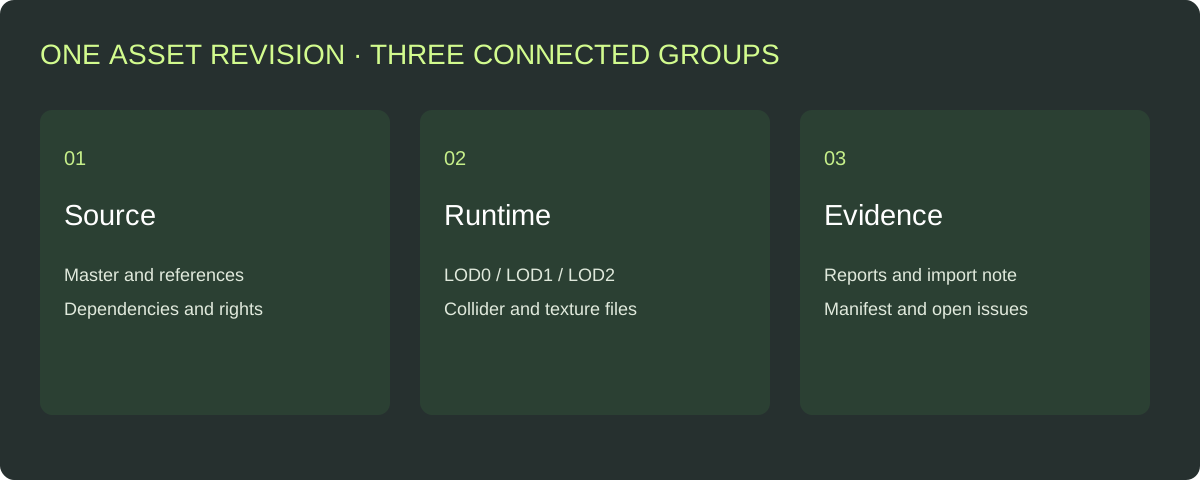
Group files by purpose and use the manifest to connect them to one asset revision.
Include the master, runtime derivatives, collision source, textures and technical reports. Add an import note naming the engine, importer, settings and relevant tests. Record source/texture usage rights and editable-source delivery in the agreement and inventory.
Download the handoff manifest template. Fill in the real file names, revision and checksums where used. Leave test results open until the reviewer records an observation. Avoid mixing an older accepted texture set with a newer unreviewed mesh under one release name.
Close corrections with a retest
Use one row per issue: finding, affected file, expected result, owner, replacement revision and retest outcome. Prioritize unreadable data and missing dependencies, then product/asset appearance and behavior, then presentation polish.
Suppose the artist fixes a pivot and also replaces the lid texture. Recheck both changes. Preserve the earlier accepted package until the replacement is reviewed, then identify the new release clearly. This makes it possible to reproduce a problem and select the correct version later.
For a batch, record which assets share the corrected material or export preset. Retest the affected group rather than assuming a fix to one file updated every package. Keep the original source, rule/specification and derivative identities in the review record.
Organize the handoff in Rendora
Use the game asset tool to register the asset type, destination and budgets, then upload the GLB master, supplied LOD/collider files and PBR textures. Review the decoded model evidence and download the organized deliverables with their technical report and import manifest.
Rendora handles the supplied-file checks and packaging in that workflow. Prepare mesh reduction and texture baking in the production application, and record the receiving-engine tests alongside the final acceptance decision. The two stages fit together: file evidence identifies the source; the project test demonstrates its use.
FAQs
What makes a 3D model game-ready?
It meets the target project’s asset brief and works through the intended import and runtime setup. Review the actual geometry, materials, derivatives and required behavior, then retain the acceptance evidence.
Do I need LODs for every asset?
Set that requirement from the project’s rendering approach and asset use. When the delivery requires LODs, list their roles and review their appearance and transitions. Rendora’s current supplied-file package uses LOD0/1/2.
What should I request from an outsourced artist?
Request the agreed source/runtime files, texture dependencies, derivatives, readable inventory, correction history and receiving-project evidence. Confirm usage rights and editable-source scope before production.
Who should approve the delivery?
Assign appearance to the art owner, import/material checks to the technical owner and interaction to the gameplay owner. The producer records the release decision after the required checks are complete.
References
[1] glTF 2.0 specification: metallic-roughness material channels and asset data.
[2] Epic Games: FBX Static Mesh Pipeline: the documented FBX import route.
[3] Unity 6.0: Generate lightmap UVs: supplied and generated lightmap UV workflows.
About the author
Rendora Journal covers configurable assets, production checks and traceable delivery workflows.