In this guide
Review a bathroom visualization as a map of intended visible products, patterns and interfaces. Connect each selected surface to its actual product reference and the person responsible for installation questions. A convincing tile image is useful for appearance decisions; it does not specify the complete assembly behind it.
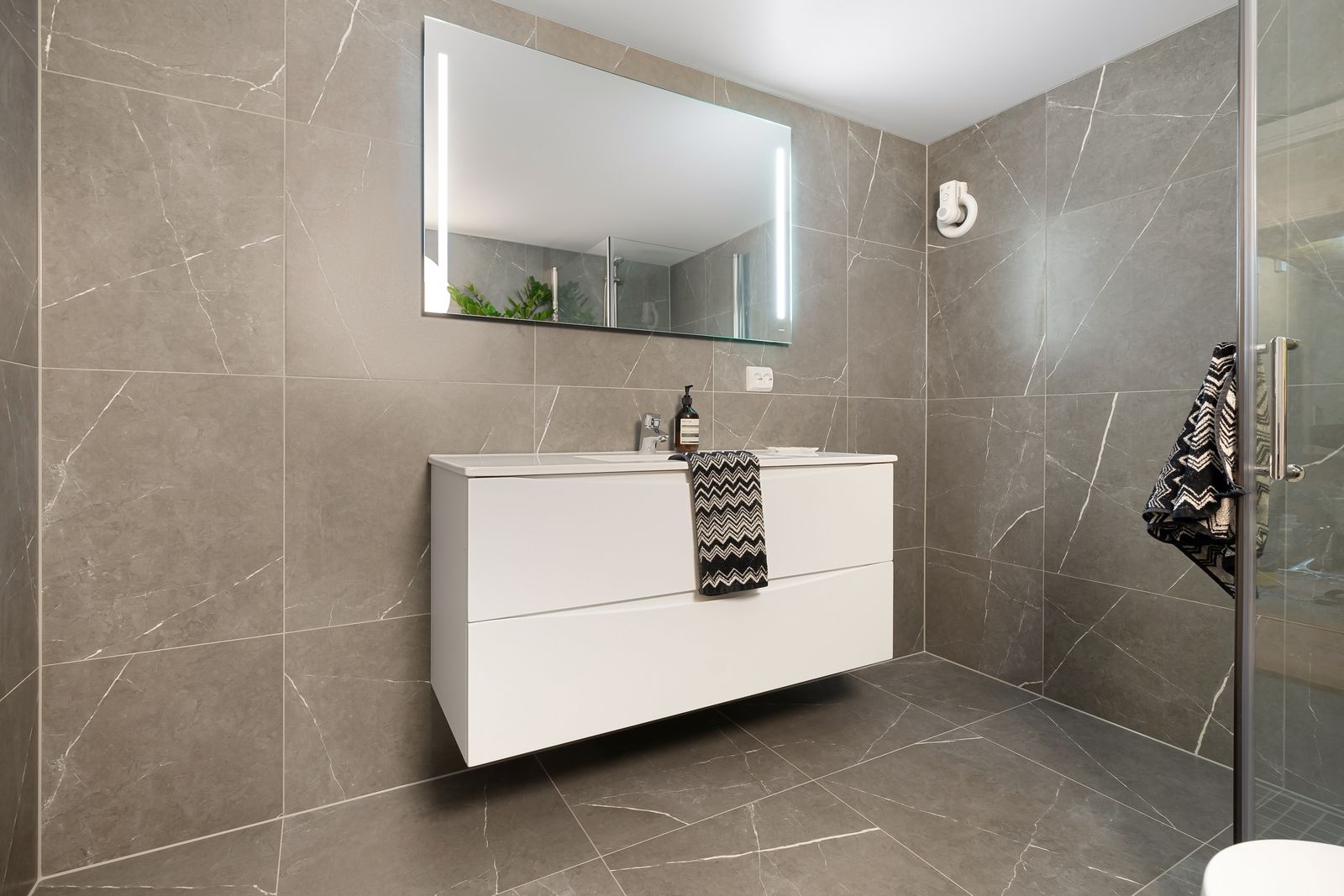
The photograph shows tiled surfaces, a vanity and a mirror. Those visible selections meet at edges and openings that deserve their own review, rather than disappearing behind a general “bathroom approved” status.
Map the surfaces before comparing finishes
Identify walls, floor regions, shower boundaries, niches, vanity fronts and visible edges as separate review regions. Attach product references and sample identities. If a proposed material appears in several regions, preserve the assignments so a change can be traced to every affected view.
Use the interior finish schedule to keep those identifiers consistent. Room geometry should come from a measured baseline, following the geometry-first approach in Planner 5D’s setup documentation.1
State what the image should resolve
Ask for a decision on pattern direction, visible joint layout, color relationship, fixture placement or edge treatment. Give reviewers a close view when a room-wide image cannot show the question. Do not let a dramatic lighting treatment obscure the surface being compared.
| Review region | Appearance evidence | Separate technical question |
|---|---|---|
| Tiled wall | Product sample and intended pattern | Installed assembly and substrate requirements |
| Floor transition | Surface relationship and boundary | Project-specific transition detail |
| Vanity | Finish and visible proportions | Actual fixture and connection interfaces |
| Niche or opening | Edge arrangement | Installation detail and responsible reviewer |
Compare samples under identified conditions
Record the physical sample and the lighting context used to review it. Keep the visualization’s camera and lighting fixed when comparing product alternatives. If the real sample has variation, obtain enough reference to represent that variation rather than repeating one tiny texture patch as a promise of the installed result.
Check the pattern’s scale against the intended product dimensions. A convincing image with the wrong tile size can lead to a different joint layout and visual rhythm. Record whether the layout is schematic or coordinated to the actual dimensions.
Route installation questions to their owner
Collect the current manufacturer documents for the selected products and have the responsible project team address the relevant assembly, use and installation conditions. Record the document version and unresolved interface. Avoid filling a technical gap with a plausible-looking render detail.
When a technical decision changes a visible edge or product, return that change to the visualization baseline. Use the revision log to update both the image and finish schedule.
Deliver two connected records
Provide the accepted appearance views and a region-based list of technical decisions or open questions. Download the bathroom review worksheet to connect product, sample, document and owner. Keep actual findings blank until the appropriate review occurs.
Use the Rendora interior workflow to organize the room’s visual inputs and handoff evidence, with product and installation records attached to the selected regions.
References
- Planner 5D, Adding a room, reviewed October 26, 2026.
About this guide
Rendora publishes practical guides for teams working with configurable 3D assets and traceable production handoffs. Updated October 27, 2026.