Estimate metal-body mass with volume × alloy density, keeping units consistent and excluding stones and nonmetal components. Record the volume source and density reference, then distinguish the theoretical body mass from casting feed metal, finishing changes and the supplier’s chargeable quantity.
A CAD weight estimate is useful for comparing two versions of a design. It becomes misleading when a number is copied into a quote without its assumptions. Which alloy density was used? Does the model include stones? Is the volume a closed metal body or a collection of overlapping objects?
This guide gives you a reproducible arithmetic example and a worksheet for applying it to your own measured geometry.
Begin with the metal body, not the rendered scene
Isolate the objects that will become metal. Exclude gemstones, presentation stands, reference shapes and temporary supports. Check whether separate bodies overlap and whether cavities are represented correctly before adding volumes together.
Retain the volume report and the model revision. For an edited design, recalculate from the new body rather than updating the old weight by eye. A larger stone seat can remove metal while a thicker shoulder adds it; their net effect is not obvious from the hero image.
McNeel lists mass-property measurement among Rhino’s jewelry capabilities. [1] Use a CAD or geometry tool that reports a meaningful volume for the selected bodies, and retain its units and selected-object record.
Use one explicit equation
When volume is in cubic millimeters and density is in grams per cubic centimeter:
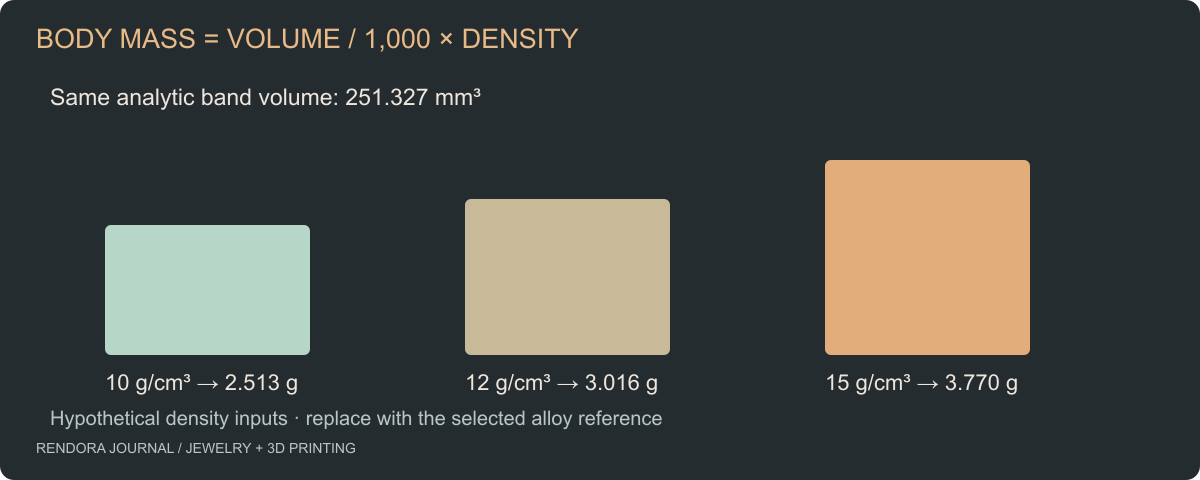
Mass in grams = volume in mm³ ÷ 1,000 × density in g/cm³.
There are 1,000 cubic millimeters in one cubic centimeter. Missing that conversion creates a thousandfold error. A dimensional check beside the formula is more useful than extra decimal places in the answer.
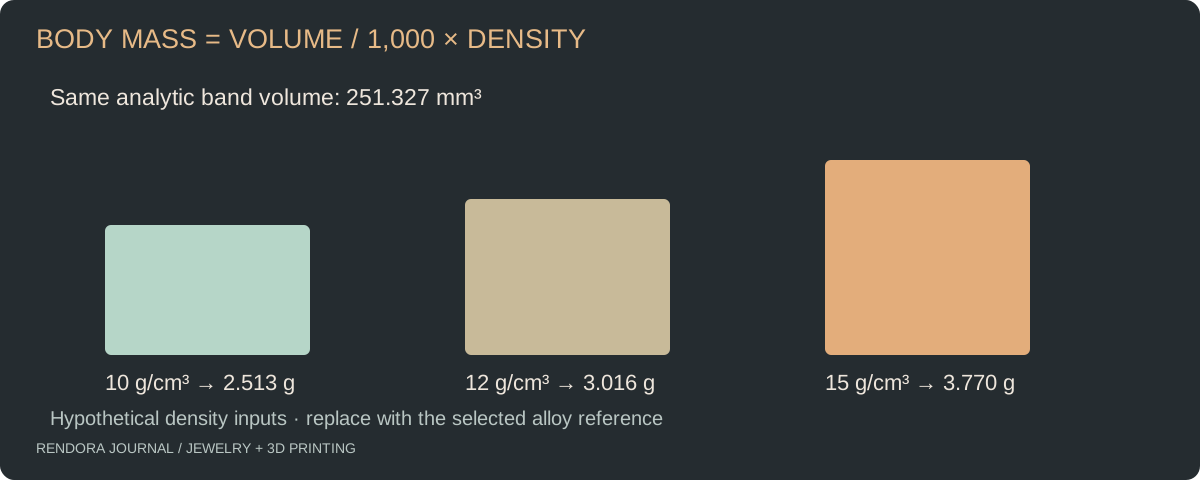
For a simple annular band, the analytic volume is π × (outer radius² − inner radius²) × width. With outer radius 11 mm, inner radius 9 mm and width 2 mm, the result is 80π, or approximately 251.327 mm³.
The density values below are deliberately hypothetical sensitivity inputs, not specifications for named alloys. Replace them with a reference for your selected alloy.
| Assumed density | Analytic body volume | Calculated body mass |
|---|---|---|
| 10 g/cm³ | 251.327 mm³ | 2.513 g |
| 12 g/cm³ | 251.327 mm³ | 3.016 g |
| 15 g/cm³ | 251.327 mm³ | 3.770 g |
Compare the exact CAD shape with the exported mesh
An STL approximates curved surfaces with triangles. We generated the same band using 64 circumferential segments and calculated its enclosed mesh volume from its oriented faces. The downloadable calculation record contains the analytic value, the actual mesh value and their percentage difference.
For this constructed band, the mesh volume is approximately 250.924 mm³, about 0.161% below the analytic volume. That is a result for this geometry and discretization, not a general STL accuracy figure. The experiment’s closed-band STL and recheck script let you inspect the underlying file.
McNeel’s STL documentation explains the role of export tolerance in approximating source geometry. [2] If the estimate needs tighter geometric agreement, compare export settings against the CAD rather than assuming that a larger file is always better.
Choose density by alloy, not color name
Ask the supplier for the density reference used for the actual alloy. “Gold-colored,” a render material label or a karat label by itself is not a complete data source for a precise estimate. Record the alloy identifier, density, units and source date together.
If the supplier quotes a range or the design is still changing, show a range or sensitivity table. That communicates the uncertainty more clearly than displaying a long decimal that the inputs cannot support.
Keep gemstones and other components in separate rows. A stone count helps organize the assembly but does not establish the metal volume, and gemstone mass should not be mixed into a metal-body calculation.
Separate body mass from the manufacturing quote
Ask the casting house whether the quote covers a finished piece, an as-cast piece or a metal allocation that includes feed-system material. Clarify finishing, setting, losses, recovered material and minimum charges as commercial line items.
Do not add an arbitrary percentage to the CAD mass and call the result a universal casting requirement. The maker should identify the process and billing assumptions for the job. Keep those assumptions beside the quote, not hidden inside a geometry calculation.
For a revision comparison, show both designs under the same density assumption first. Then explain any changed alloy or process separately. This prevents a geometry saving from being confused with a material substitution.
Put the estimate in a reviewable record
The weight worksheet captures source revision, selected bodies, volume, density reference, formula and review result. The sample JSON provides computed examples separately; actual project cells remain blank.
Rendora’s jewelry tool can include a supplied metal-weight value in source-linked reports. That field is a declaration, so attach the calculation or supplier report that supports it. Use the handoff checklist to keep the estimate and the chargeable quote distinct.
Weight-estimation questions
Can I calculate weight from a render?
A render does not establish a trustworthy metal volume. Use the selected metal geometry and a documented density reference.
Why does the finished piece weigh differently?
Compare the model selection, alloy, measured dimensions and finishing record. Check whether the quoted figure and measured figure describe the same stage and components.
Should I use CAD volume or mesh volume?
Use the source appropriate to the decision and identify it. For design estimates, exact CAD volume can avoid mesh approximation; for checking an actual delivery file, inspect that exported geometry and compare it with the source.
References
[1] McNeel: Rhino for the Jeweler — mass-property measurement in the design workflow.
[2] McNeel: STL Import and Export — approximation tolerance for exported meshes.
About the author
Rendora Journal covers configurable assets, production checks and traceable delivery workflows.