In this guide
Choose a modular sofa by its assembled configuration, not the dimensions of a similar sofa in the same collection. Identify every module, its orientation and its connections, then place that exact arrangement in a measured room. The order should name the configuration shown in the accepted layout.
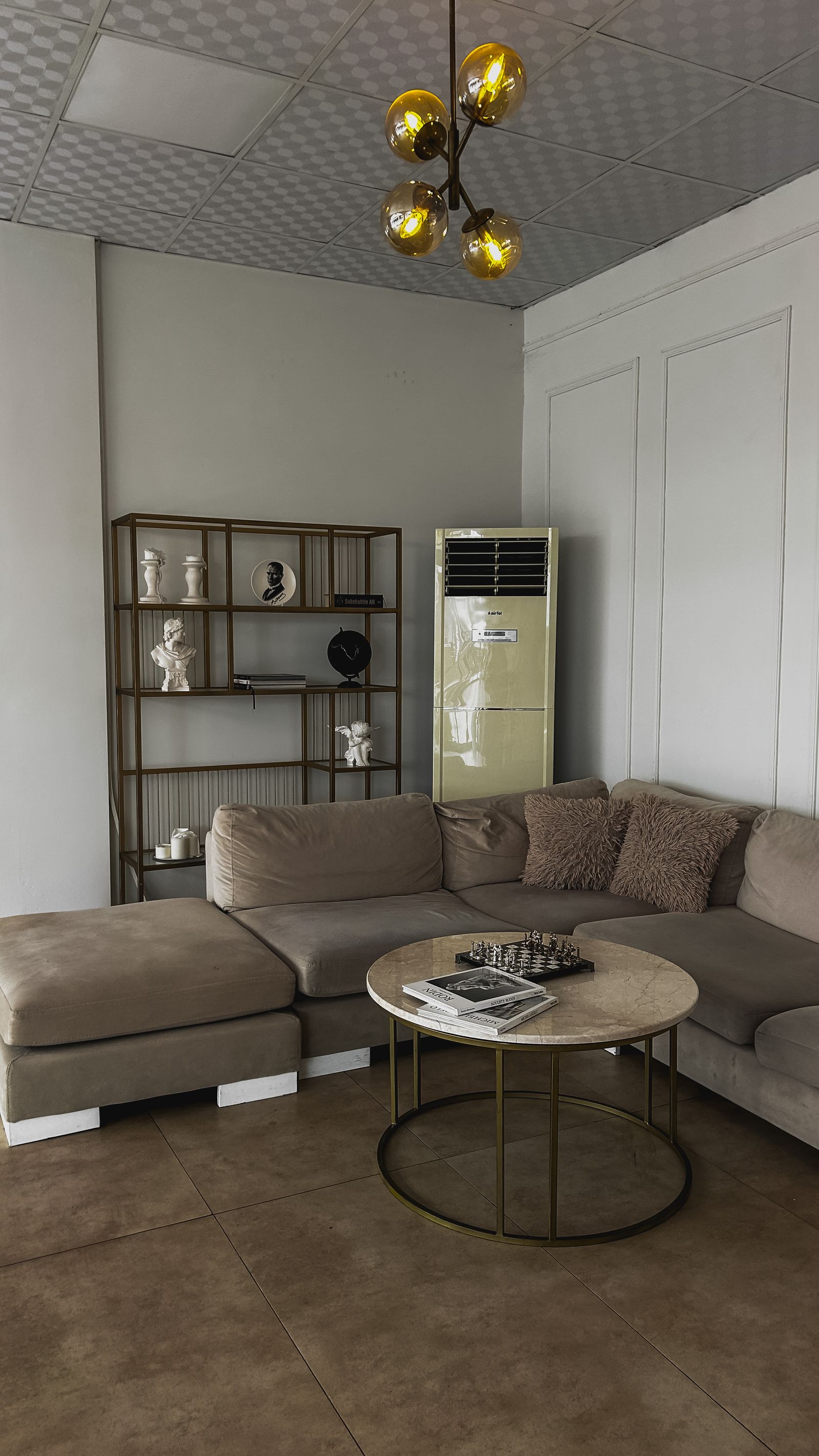
The sectional in the photograph illustrates the central question: which pieces create the shape? A family photograph cannot establish the dimensions or handedness of the combination you intend to buy.
Start with module identities
Collect the manufacturer’s current dimensions and identifiers for each arm, middle section, corner, chaise and ottoman. Distinguish movable accessories from connected modules. Record whether dimensions include upholstery overhang, feet or other projections.
Declare how left and right are described: standing in front of the sofa or sitting on it. Use a plan arrow as well as the supplier’s wording. If the supplier uses a different convention, reconcile it before ordering rather than translating from memory.
Build the assembled envelope
Do not add catalog widths blindly when connectors, overlapping elements or corner geometry affect the final footprint. Obtain the assembled dimensions or ask the supplier to confirm the proposed arrangement. Preserve module-level identities in the room model so an alternative can replace a component without obscuring the change.
| Check | Input | Acceptance question |
|---|---|---|
| Overall shape | Confirmed module layout | Is the chaise on the intended side? |
| Assembled size | Supplier drawing | Does the full envelope fit the measured room? |
| Connections | Compatible module information | Can these exact modules connect? |
| Use state | Recliner or bed mechanism, if present | What changes when it opens? |
| Order | Configuration and finish identifiers | Does the purchase match the approved arrangement? |
Test living with the arrangement
Add the coffee table, door movement, curtains and other objects that compete for the same space. Test reaching a seat and walking through the room, not just whether the sofa avoids a wall. Use the household’s actual needs to define the review; a decorative clearance line is not a measured result.
For an existing room, tape the proposed footprint on the floor and photograph it from the entry. Record the dimensions used. If the model and taped arrangement disagree, resolve the measurement or configuration before choosing a prettier camera. Follow the room-measurement guide for the baseline and the furniture-fit checklist for delivery and access questions.
Compare alternatives without losing the baseline
Save the accepted room revision and create named sofa configurations against it. Hold the room, camera and other furniture constant while changing modules. Compare shape first, upholstery second; otherwise a preferred color may distract from a different footprint.
Planner 5D’s room setup guidance starts from room geometry and dimensions.1 Apply that sequence regardless of which layout application you use.
Hand the decision to purchasing
Download the configuration worksheet. Attach the room revision, module list, assembled dimensions, confirmed handedness and accepted view. Ask the supplier to acknowledge the configuration, including finish and quantity, before the order becomes the new baseline.
The Rendora interior workflow provides an entry for reviewing room and furnishing inputs. Keep supplier confirmation alongside the configuration rather than assuming a visual arrangement is an order acknowledgement.
Can I use one generic sofa model?
Use it for early space exploration, then replace or verify it against the exact arrangement before purchase. Differences in corners, arms and chaise depth can change the decision.
References
- Planner 5D, Adding a room, reviewed October 26, 2026.
About this guide
Rendora publishes practical guides for teams working with configurable 3D assets and traceable production handoffs. Updated October 27, 2026.