In this guide
Use a measured plan and a reproducible camera to judge a small-room render. A wide view can help explain a compact space, but it can also exaggerate depth and make furniture near the image edge appear stretched. Keep the geometry unchanged and compare camera choices before interpreting apparent spaciousness as a layout improvement.
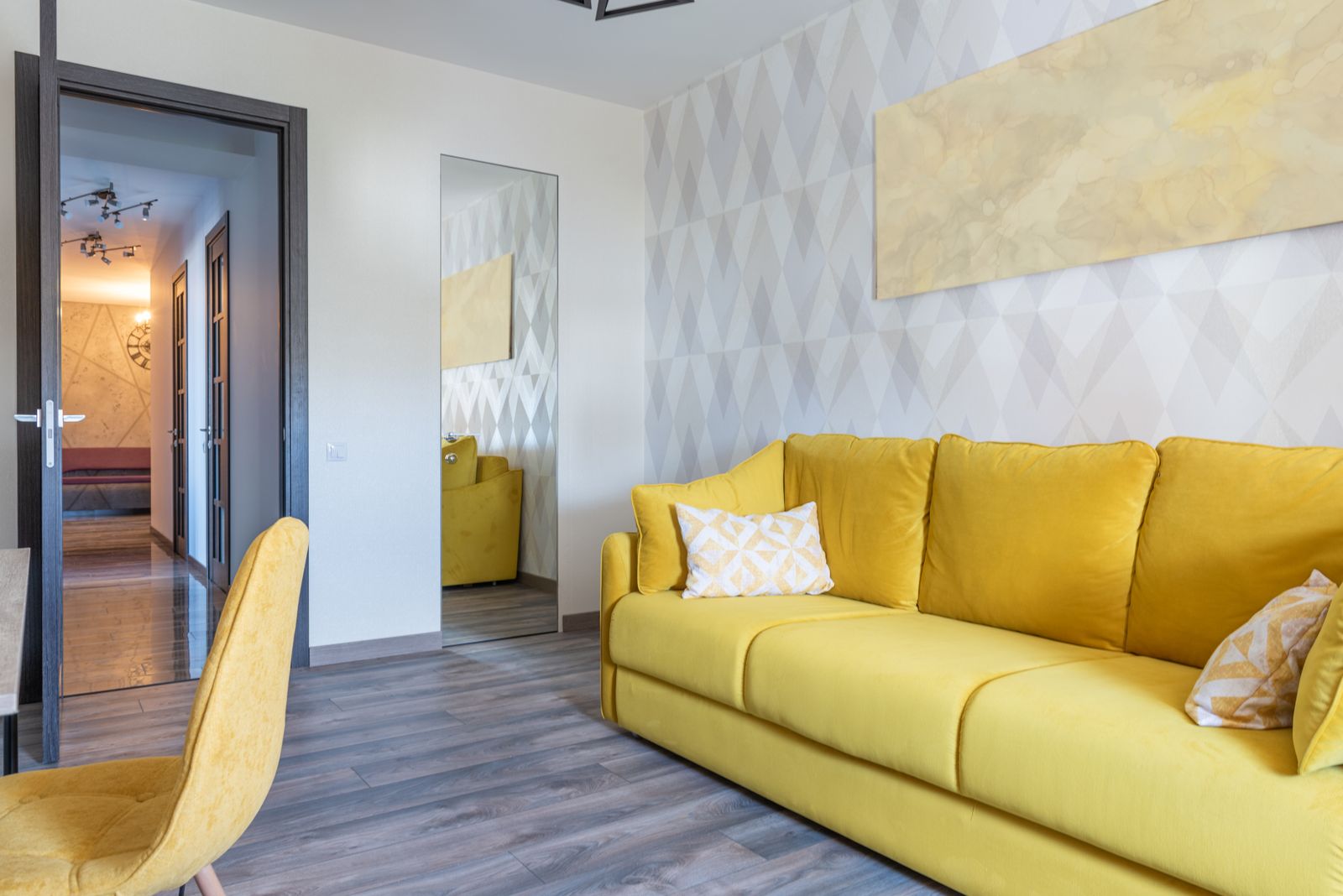
The mirror in the photograph adds another depth cue. Reviewers need to know which surfaces are reflections and where the actual room boundaries lie.
Separate layout from presentation
Confirm room dimensions, openings and furniture sizes first. Then record camera position, view direction, lens or field of view, and any hidden geometry. If a wall has been removed for an explanatory view, label that view accordingly and retain a normal room view for the experience of standing inside it.
The measured-room guide establishes the baseline. Planner 5D’s small-room advice discusses visual and furnishing choices.1 Keep perceived openness distinct from a physical increase in floor space.
Use a camera pair for review
Prepare an overview that explains the arrangement and a second view from a plausible occupied position. Keep a plan with both camera locations. The two views answer different questions without forcing one image to show every corner.
| Observation | Check before changing the design |
|---|---|
| Sofa looks unusually long | Its actual dimensions and position near the frame edge |
| Room seems deeper | Camera position, field of view and mirror contribution |
| Entry appears unobstructed | Plan geometry and hidden objects |
| Ceiling feels unusually high | Vertical framing and actual room height |
Run a controlled comparison
Duplicate the camera, not the room. Change only the lens or position being investigated and save both settings. Compare recognizable objects against the same plan dimensions. Do not resize furniture to make the second view feel more comfortable.
When comparing two layouts, use the same observation setup for both, or clearly show why a different camera is needed. A cropped view can hide the very circulation problem the client is deciding. Keep the door-state checks available beside the images.
Make reflections legible
Identify mirrors in the material map and confirm their modeled size and orientation. Check whether a reflected doorway or window could be mistaken for a real opening in the chosen image. Use a plan annotation or a complementary view to resolve ambiguity rather than removing the mirror from only one comparison.
If the review concerns daylight appearance, retain the lighting assumptions too. A brighter exposure is not evidence that a layout receives more daylight.
Release an interpretable image set
Download the camera review worksheet. Record dimensions, camera settings, hidden geometry, comparison views and the specific distortion observed. Include the plan and accepted cameras in the handoff so another renderer can reproduce the intent.
Open the Rendora interior workflow for room inputs and review evidence. Choose the image because it explains the arrangement, not because it makes the measured room appear larger.
References
- Planner 5D, How to make a small room look bigger, reviewed October 26, 2026.
About this guide
Rendora publishes practical guides for teams working with configurable 3D assets and traceable production handoffs. Updated October 27, 2026.