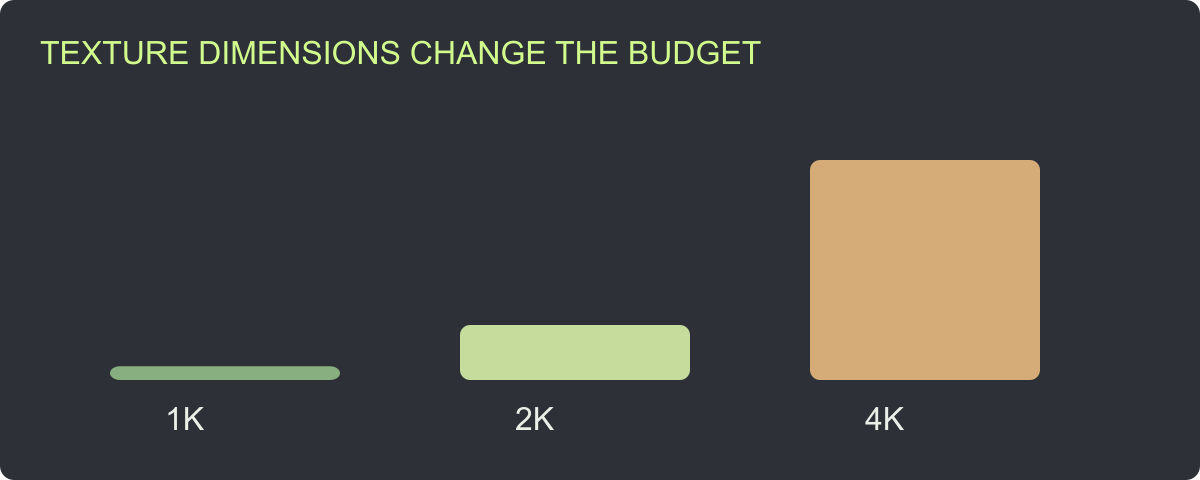
“Keep it under 20,000 triangles” is easy to put in a brief. It is harder to explain why that number suits a repeated background prop, a close-view weapon or a scene running on a constrained device.
Build an asset budget from its target device, screen size, visible instances and material workload, then verify it in a representative scene. Use triangle and texture limits to guide production, and keep the runtime measurement attached to the conditions that produced it.
Download the budget planning sheet. It separates approved limits, actual file counts and receiving-project measurements so the team can change one without confusing it with the others.
Define the job before choosing the numbers
Record the target device class, engine/rendering route, intended camera views and asset role. Is the object examined up close? How many can appear together? Does it deform, cast costly shadows, use transparency or share materials with other assets?
Use a small scene that resembles the intended use. An isolated asset on an empty background is useful for art review, but it omits surrounding objects and interactions. Select representative camera positions and actions before profiling.
| Planning field | Question for the team | Recorded output |
|---|---|---|
| Device | Where must the experience run? | Named device/build target |
| View | How large and close is the asset? | Camera and screen-size examples |
| Repetition | How many instances are visible? | Representative scene arrangement |
| Materials | Which shaders, maps and transparency are required? | Material inventory |
| Behavior | Does it animate, move or interact? | Test actions |
| Acceptance | Which measurements matter to this release? | Approved targets and review owner |
Separate the constraints you can count
Count triangles in the delivered meshes, list material slots and record image dimensions. These are useful, repeatable file measurements. Use them to catch accidental over-detail and unexpected dependencies before the runtime test.
A triangle limit does not describe the complete asset workload. A mesh with fewer triangles can still use expensive materials or appear many times. Conversely, a rarely visible detail may contribute little to the frame you are measuring. Keep the budget tied to the use rather than presenting one count as a universal platform standard.
Use the LOD review study to compare actual supplied counts and silhouette changes. For production, decide which features each level must retain and review their transitions in the project.
Calculate a texture example with explicit assumptions
The following calculation assumes three unique square RGBA8 textures, four bytes per texel, uncompressed storage and a full mip chain. It estimates image-data storage for that defined case, not a profiler result.
For one base level: width × height × 4 bytes. For a full chain, sum each level down to 1 × 1. Divide bytes by 1,048,576 to express MiB. Then multiply by the number of unique textures.
| Dimensions per map | Three maps, base levels | Three maps, full mip chains |
|---|---|---|
| 1024 × 1024 | 12.00 MiB | 16.00 MiB |
| 2048 × 2048 | 48.00 MiB | 64.00 MiB |
| 4096 × 4096 | 192.00 MiB | 256.00 MiB |
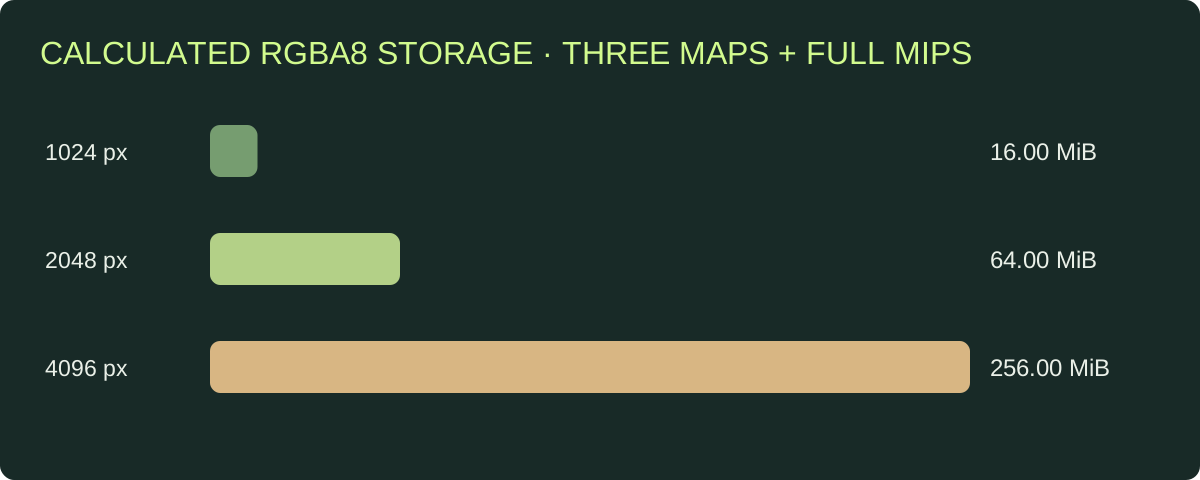
The graph uses the stated uncompressed RGBA8 formula. Runtime format, compression and residency change the receiving project’s allocation.
Download the calculation record for exact byte totals and assumptions. A 2K-to-4K dimension change multiplies the base pixel count by four. That gives reviewers a concrete reason to ask which details need the larger source.
Do not multiply unique texture storage by every instance when those instances share the same resource. Also distinguish a compressed PNG/JPG delivery file from its receiving allocation. Measure the actual build’s memory and loading behavior through the target tooling.
Use a consistent visual acceptance view
Before lowering image dimensions, choose the camera views that matter. Review whether the proposed reduction loses readable labels, surface definition or a key material feature. Keep the comparison at ordinary game-view size as well as an appropriate close-up.
For geometry, inspect outline and shading. For textures, inspect the details the player actually sees. For animation, inspect deformation and the required actions. This gives the team a defensible tradeoff instead of a blanket instruction to make every file smaller.
The PBR handoff guide helps identify map roles before removing or repacking data. Fix incorrect assignments before spending time optimizing the wrong material setup.
Connect asset limits to the frame-time target
Frame duration is a reciprocal calculation: 1000 ÷ frames per second. A 60 fps target corresponds to approximately 16.67 ms per frame; 30 fps corresponds to approximately 33.33 ms. That time is shared by the full workload, not reserved for one prop.
Decide which observations the team will retain: CPU/GPU timing where available, memory, loading stalls and visible quality. Unity’s Profiler is one official route for examining application performance.[1] Use the tool appropriate to the receiving build and record how the measurement was captured.
| Test condition | Keep fixed while comparing | Record after each change |
|---|---|---|
| Geometry revision | Scene, camera and device | Counts, visible quality and timings |
| Texture dimensions | Material/shader route and camera | Appearance and memory observations |
| Instance arrangement | Asset version and device | Visible count and scene measurements |
| LOD policy | Camera path and receiving setup | Transitions and runtime observations |
Run repeatable observations rather than judging one unusually fast or slow frame. Record the build, device and scene revision so another team member can understand the comparison.
Review material and instance costs alongside mesh detail
Inspect material-slot growth, duplicate textures and unexpected transparency when an asset misses its target. A clean inventory can reveal a second copy of a texture set or a material split introduced during export.
When optimizing repeated props, establish whether the project shares resources or uses its intended instancing route. Keep those receiving decisions in the test record. Source geometry and material counts inform the review; the scene demonstrates their combined effect.
Choose one change with a plausible connection to the observed bottleneck, test it and keep the useful result. This is more productive than reducing every asset by the same percentage regardless of where time or memory is spent.
Turn the budget into a reusable production brief
Record the accepted per-LOD limits, texture dimensions, required maps and test conditions. Include the actual file measurements and any unresolved runtime work. When the source or target platform changes, identify which previous results need to be repeated.
The Rendora game tool lets you save target-platform and triangle/texture limits and check supplied files against those values. Use the acceptance checklist to retain the receiving-project evidence with the delivered package.
FAQs
What is a good polygon count for a game prop?
Choose it from the asset’s viewing conditions, repetition and target workload. Set an initial project limit, inspect the result and refine it using the representative scene.
Does a smaller PNG mean lower runtime texture memory?
Compare dimensions and the actual receiving format and allocation. Download compression and runtime representation are different measurements.
Should every prop use the same texture resolution?
Allocate detail according to visible size and purpose. Review the important surfaces at the intended camera positions.
Does passing the file budget complete performance review?
It confirms the counted constraints. Finish with the receiving scene, target device and approved runtime observations.
Reference
[1] Unity 6.0: Profiler.
About the author
Rendora Journal covers configurable assets, production checks and traceable delivery workflows.