A useful interior presentation asks the client to decide specific things: arrangement, selected items, finishes, budget scope and unresolved choices. Deliver the images together with a dated plan, item schedule and decision log. Approval should identify the revision and the decision, not just say “the room looks great.”
The presentation is often treated as the end of design work. In practice it is the point where a visual idea becomes a list of commitments. A client may love the atmosphere but reject the maintenance of the chosen fabric. A purchaser may recognize the furniture but not know which finish was approved. Build the package so those differences are visible.
Open with the decisions due today
Begin with the room, current revision and a short decision list. Separate “approve now,” “review for direction” and “information only.” If the furniture layout is settled but upholstery is open, say so before the first image. Otherwise the discussion may reopen settled placement while nobody answers the fabric question.
Assign a decision owner. If two household members or several business stakeholders have different responsibilities, record who approves appearance, budget and operational requirements. Consolidate their comments before issuing instructions to suppliers.

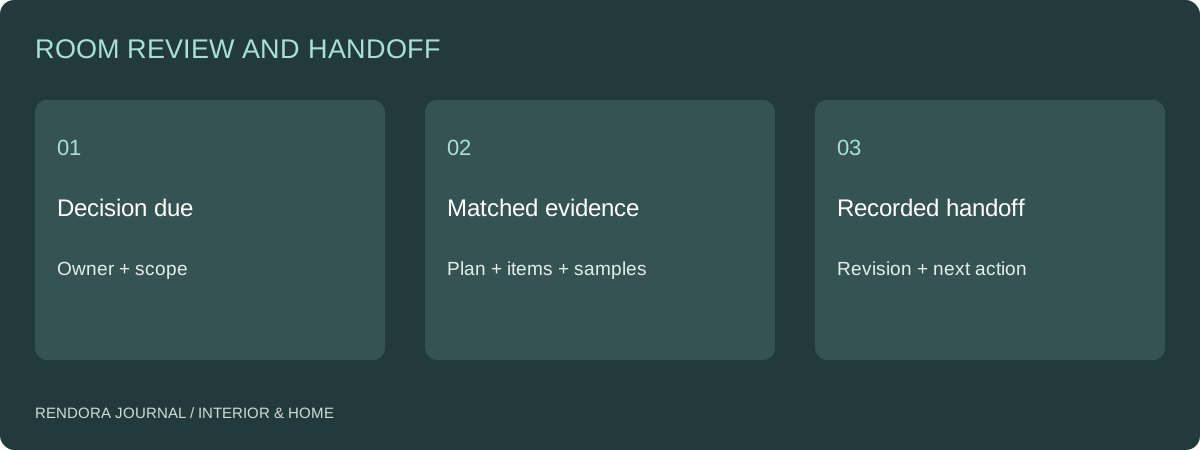
Present the plan before the hero view
Use the measured plan to establish room boundaries, openings and item IDs. Then show the views that explain the arrangement. A wide image helps the client understand relationships; a closer view may answer a specific question about material or storage. Each view should have a purpose beyond looking finished.
If the output is a placement blockout, call it that and show the associated dimensions. The 2D-to-3D example explains what Rendora’s generated boxes actually represent. Use detailed furniture models or photographs when the decision concerns a real product’s form.
| Package component | Decision it supports | Version link |
|---|---|---|
| Measured plan | Room and placement basis | Survey or measurement reference |
| Arrangement views | Relationships and visible composition | Layout revision |
| Item schedule | Exact selected products | Item and option IDs |
| Material board | Finish relationships and samples | Sample approval record |
| Budget scope | What is included and unresolved | Quote and budget revision |
| Decision log | Who approved what and what changes next | Meeting or review date |
RoomSketcher describes dimensioned 2D plans as a way to communicate measurements and room details.[1] Keep that measurable basis beside the more expressive views, rather than asking the image to perform both jobs.
Turn comments into actionable instructions
“Make it warmer” is a discussion prompt, not a complete revision instruction. Ask whether the client means wall color, upholstery, light appearance or timber tone. Identify the affected item and the evidence needed to choose the replacement.
Write one issue per record: room, item, current revision, requested change, reason, owner and due date. Attach a marked view where location matters. Keep a decision separate from a suggestion; the person doing the work should not have to infer which comments are approved.
A useful comment might be: “Replace upholstery option F02 with the reviewed F04 sample for sofa S01; retain the sofa size and position; reissue the material close-up and item schedule.” That instruction identifies both what changes and what stays fixed. It also limits unnecessary rebuilding.
Review the package in two passes
First check consistency. Does the sofa in the image match the item schedule? Do option codes agree with the material board? Does the budget include the same quantity and delivery scope? Resolve contradictions before asking the client to sign off.
Then review the decision itself. Confirm that the client has seen the evidence appropriate to that decision: physical samples for a finish, measured information for fit, supplier scope for purchasing. Keep open questions visible rather than converting an attractive presentation into blanket approval.
After the meeting, issue a concise record with approved items, requested revisions and outstanding inputs. Retain the previous package. If one product changes later, the team can identify the affected outputs instead of recreating the whole room from memory.
What to download and retain
Use the client decision-log template alongside the proposal. The decision and result cells start blank. Fill them after the actual review and connect each entry to its evidence.
The Rendora interior tool produces a supplied-dimension placement proposal, an item list and geometric review outputs. Keep those outputs with the input revision, then add the project-specific sample, purchasing and review records. That turns an isolated download into a handoff another person can use.
Presentation questions
How many images should a client presentation contain?
Enough to answer the decisions being requested. Start with one orientation view and add views for questions the first image cannot resolve. More nearly identical angles can increase review effort without clarifying the choice.
Does approving a rendering approve every item in it?
Only if the approval request identifies those items and the client has the relevant schedule. Separate decorative context and placeholders from specified products. Record exactly which revision and scope were accepted.
References
[1] RoomSketcher, 2D floor plans. The decision-log and two-pass review structure are the editorial handoff method used in this guide.
About the author
Rendora Journal covers configurable assets, production checks and traceable delivery workflows.