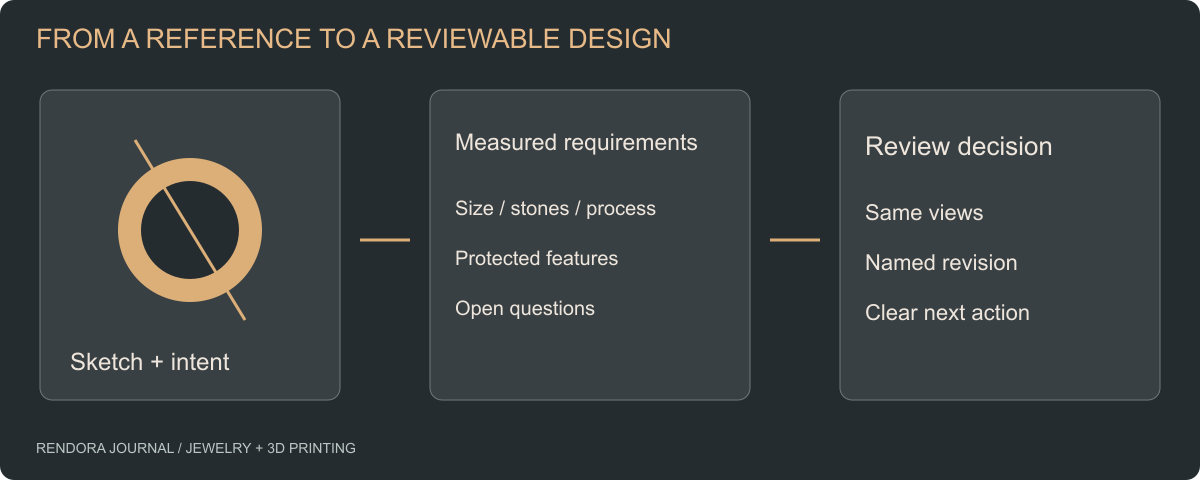
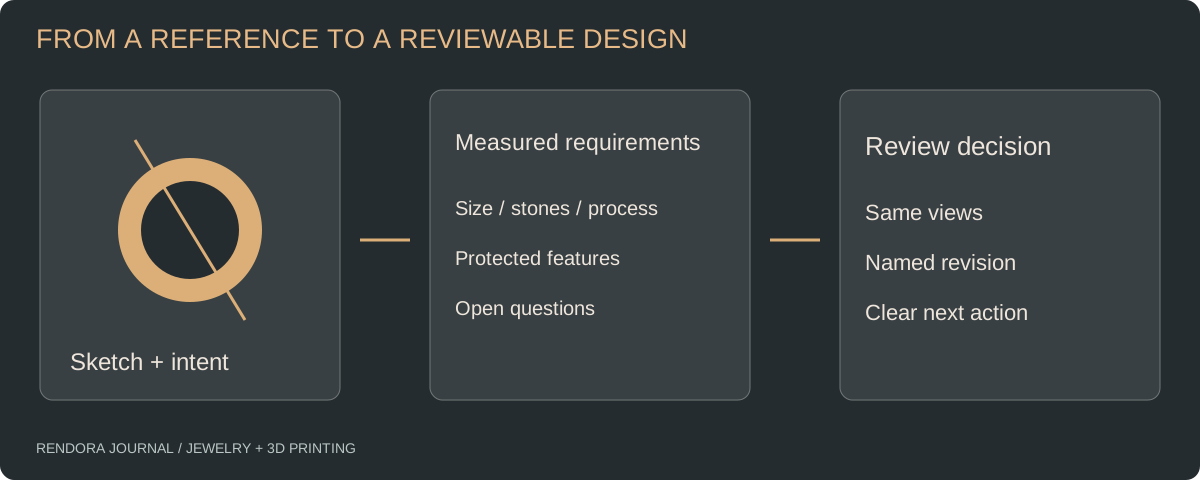
Turn a jewelry sketch into a useful 3D brief by specifying the dimensions, stone data, intended process and decisions that the model must support. Approve the appearance first, then review the manufacturing geometry against the chosen production route.
A client sends a ring photograph and asks for “something like this, with a lower setting.” The image communicates style. It leaves the designer to guess the finger size, stone proportions, gallery clearance and meaning of “lower.” Those guesses become expensive when the client sees the first model and the setter sees the first casting.
A better brief separates what is known, what can change and who will decide. You can do this before commissioning CAD, uploading references or choosing a printer.
Start with the decision, not the software
Ask what the next model needs to accomplish. A concept review might answer whether a pendant feels too heavy visually. A fitting model might answer whether a wide band is comfortable. A casting handoff needs a specific revision, dimensions and a process review.
These are different deliverables. Commissioning a polished image when the unresolved question is finger clearance gives the team an attractive picture but no answer. Conversely, asking a client to approve a dense technical drawing may hide the design choice they actually need to make.
Rhino’s jewelry workflow includes accurate modeling, visualization and fabrication export as distinct activities. That is a useful way to structure the brief: one source design, different outputs for different decisions. [1]
Build a reference pack that removes guessing
Use one overview image to explain the silhouette, then add detail references for the features you care about. Identify the relevant feature in each image: shoulder transition, clasp construction, stone spacing or engraving style. A collection of unlabeled inspiration images can contain contradictory instructions.
For an existing piece, include front, side and underside views beside a known scale reference. State which dimensions were measured and which came from an image. Perspective makes a photograph useful for appearance but unreliable for recovering every dimension.
| Brief field | Useful instruction | Question it resolves |
|---|---|---|
| Item and purpose | Daily-wear ring; first review is silhouette and profile | What should this revision prove? |
| Finger measurement | Recorded size system and fitted measurement | Which size is being designed? |
| Stone information | Measured length, width and depth; individual stone IDs | Which stone must fit which seat? |
| Design constraints | Preserve head geometry while adjusting shank | What may change? |
| Production route | Named casting house and requested alloy | Whose design requirements apply? |
| Review outputs | Front, side, underside and dimensioned section | What must the reviewer see? |
For rings, record band width and interior profile alongside size. GIA distinguishes narrow and wide sizing gauges and describes different measurement considerations for tapered and convex interiors. A size label alone is a weak fit specification. [2]
Translate vague feedback into a controlled revision
“Make it more delicate” is a design direction, not a measurement. Ask whether the client means a narrower top view, a thinner shank, smaller accent stones or a lower visual profile. Each changes a different part of the design.
Consider an illustrative brief for a solitaire ring. The client likes the top view but dislikes the height. Record the request as “keep the stone and top-view outline; evaluate a lower head with a side section showing finger clearance.” The designer can then propose a geometry change without silently replacing the stone or reducing the shank everywhere.
Use a small decision table for revisions:
| Revision | Requested change | Must remain fixed | Evidence for review |
|---|---|---|---|
| B | Lower visual profile | Stone ID and top silhouette | Side view and clearance section |
| C | Refine shoulders | Accepted head revision B | Same camera plus shoulder detail |
This is an example of organizing a brief, not a recorded client project. The downloadable form leaves actual measurements and approvals empty so your team can use it on a real commission.
Review appearance without losing the engineering questions
Present a small, repeatable set of views. Keep the camera and scale consistent between revisions. Add one dimensioned view for each unresolved fit question rather than annotating every picture with every possible dimension.
Review the underside as deliberately as the hero view. It can reveal a high gallery, an inaccessible cleaning space or a transition that was invisible from above. Ask the wearer about comfort and the maker about construction in separate review fields; their concerns overlap but their approvals mean different things.
When appearance is accepted, identify the source revision that will proceed to print-file checks. A screenshot approval should reference that revision, not an attachment called “final-new.”
Make the first handoff small and complete
For a custom design, approve one representative piece before extending it into every size and material. The first handoff should include the editable source, review views, measured requirements, stone register and unresolved questions. Assign an owner and next action to each open issue.
If the source changes after approval, record why and revisit the affected checks. Changing the shank can affect fit; changing the head can affect stone seating; changing the alloy can reopen process questions. This is more useful than regenerating every image and asking everyone to review everything again.
Rendora’s jewelry tool provides a place to connect design references, configurations and source records. For a production handoff, retain the editable CAD alongside the mesh and review evidence; the file-format guide explains their different jobs.
Questions before you commission the model
Can one photograph be enough?
It can start a style conversation. Add measurements and further views for geometry that must fit a finger, stone or mating component. State the unknowns instead of converting image proportions into undocumented dimensions.
Should I ask for a render or an STL first?
Ask for the output that resolves the next decision. An appearance review benefits from views; a print bureau needs geometry and dimensions. Keep both linked to an editable source revision.
What should the designer deliver when the concept is approved?
Request the agreed source format, review views, dimensional requirements, stone information and a revision record. Define fabrication preparation separately so the quote and acceptance criteria cover it explicitly.
References
[1] McNeel: Rhino for the Jeweler — modeling, visualization and fabrication workflows.
[2] GIA: Accurate Determination of Finger and Ring Sizes — measurement methods and fit considerations.
About the author
Rendora Journal covers configurable assets, production checks and traceable delivery workflows.