Check a jewelry STL in this order: readable file, intended units and size, closed and consistently oriented mesh, preserved design features, then process-specific print preparation. Repair the cause in the source model whenever possible and retest the exported file.
A ring can look solid in a viewer while its mesh has an open edge. A mesh can also be closed while a stone seat is too small. Treating those problems as one generic “printability” failure makes repair harder: one needs topology correction, the other needs a design decision.
This guide separates the checks and includes an actual downloadable geometry experiment. You can inspect the same files, compare their hashes and reproduce the recorded closure results.
Diagnose before pressing automatic repair
Save the received file unchanged. Record its revision, byte size and checksum, then inspect a working copy. If repair software fills a hole or removes a shell, you need to know whether it corrected an accidental defect or removed an intentional feature.
| Symptom | First check | Useful next action |
|---|---|---|
| File will not open | Completeness and encoding | Re-export from the source; compare file size |
| Piece appears tiny or enormous | Units and reference dimension | Confirm millimeters with the sender |
| Missing patch or slice | Open edges and face orientation | Locate the defect in CAD or mesh tools |
| Unexpected material inside a cavity | Intersections and shell interpretation | Inspect a cross-section and intended voids |
| Fine detail disappears | Export approximation and actual feature dimensions | Compare mesh to CAD before changing printer settings |
McNeel documents STL export tolerance as the distance between the original object and the generated mesh. Reducing file size through a coarse export can therefore change the approximation of a small curve or seat. [1] Choose export settings against the feature you must preserve, not a universal triangle target.
A reproducible check: one band, one missing patch
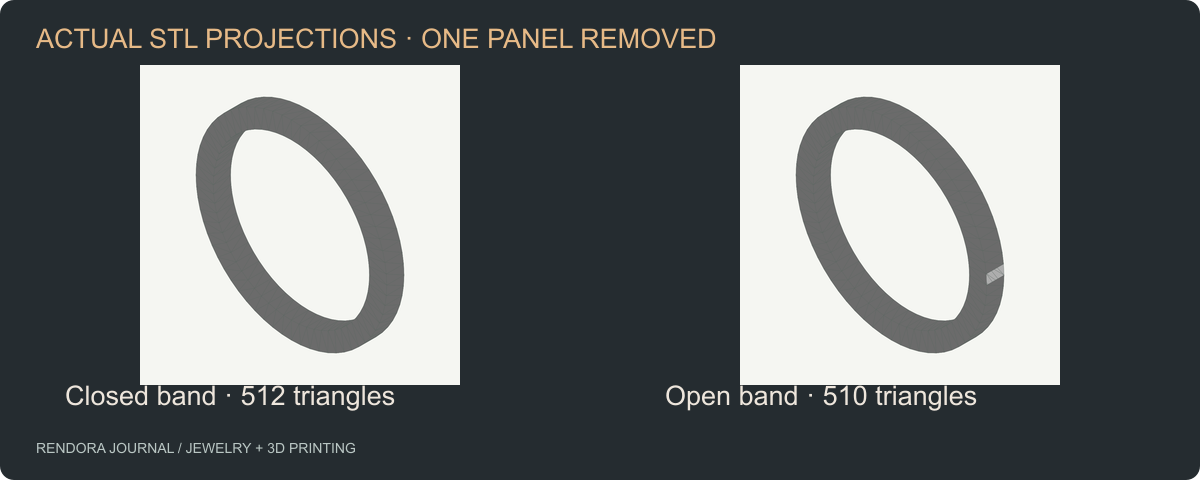
We created a simple annular band with an 18 mm internal diameter, 22 mm external diameter and 2 mm axial width. The ring uses 64 segments around its circumference and 512 triangles. A second file removes two triangles from one outer surface panel.
Both files were inspected with Rendora’s current binary STL preflight on October 20, 2026. The checker rejects degenerate triangles and requires each shared edge to occur once in each direction after coordinate quantization to six decimal places.
| File | Triangles | Recorded closure result | What changed |
|---|---|---|---|
| Closed band | 512 | Closed, consistently oriented edges | Baseline |
| Open band | 510 | Fails closure check | One outer panel removed |
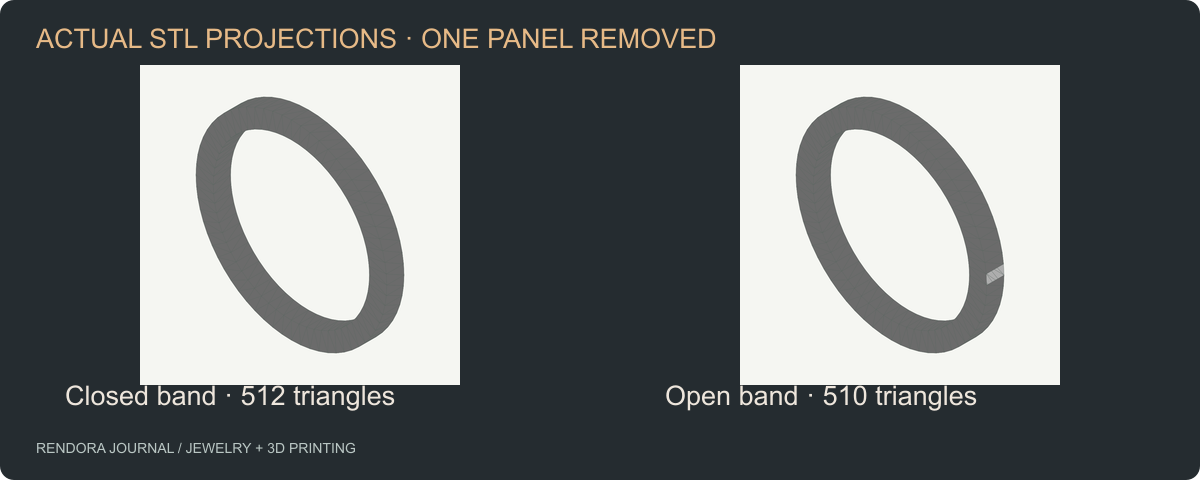
Geometry projections generated from the downloadable STL faces. These are an authored test band, not photographs or a physical print trial.
Download the closed band, open band, recorded JSON results and reproduction script. Run the script from this repository with Node.js 22.13 or later; it imports the actual preflight implementation. The JSON includes file hashes and the implementation hash so future changes are visible.
The result establishes that this checker distinguishes these two inputs. It does not measure wall thickness, self-intersection, fit, resin behavior or casting success. Those are separate checks in the review record.
Fix the source, then export a new revision
For a surface-modeling problem, inspect joins, edges and Boolean operations in the editable CAD. For a mesh-only source, mark the repair location and retain before-and-after sections. McNeel’s STL documentation describes closed-mesh diagnostics and orientation checks that help localize these faults. [1]
Avoid accepting a repair solely because the software reports success. Compare the repaired piece with the original design at stone seats, prongs, engraving and intended openings. A watertight plug across a deliberate opening may improve a topology score while ruining the product.
Export the repaired source under a new revision. Reopen that exact export in the receiving application and recheck dimensions. If the file is transferred to another person, include the checksum or use a versioned delivery record so their inspection refers to the same bytes.
Follow closure with feature and process review
Once topology is resolved, inspect the features that affect the intended manufacturing route. Measure the smallest relevant sections, check clearances and inspect support access. Use the selected supplier’s design rules and record where each measurement came from.
The wall-thickness guide explains how to turn a supplier requirement into a feature-level review. The casting workflow covers preparation after the geometry handoff.
In Rendora’s jewelry tool, the manufacturing-source path checks supplied binary STL geometry and can produce a geometry review image and source-evidence package. Keep the process review attached to that source revision rather than inferring it from the image.
Decide what happens after a failed check
A useful failure record identifies a location, expected condition, repair owner and retest evidence. “STL bad” cannot guide the designer. “Open edge at lower gallery; restore intended wall from CAD revision D; re-export and confirm stone clearance” can.
Use the STL review worksheet to record findings. It deliberately leaves decisions blank. After repair, attach the replacement file hash and repeat all checks that the change could affect, not just the one that failed.
Common repair questions
Is a high triangle count better?
Only if the extra triangles preserve needed geometry. Compare curved surfaces and small features with the CAD source and agreed export tolerance. More triangles do not fix a wrong dimension.
Can I repair the mesh without the CAD source?
Yes, but document what changed and compare it with measured design requirements. Request the source when a repair touches an intentional seat, gap or structural feature.
Why does a closed STL still fail at the printer?
Closure is one geometric condition. Investigate feature dimensions, orientation, supports, material settings and preparation against the actual process profile. Keep each finding separate so the next revision addresses the right cause.
References
[1] McNeel: STL Import and Export — export tolerance, binary/ASCII options and closed-mesh diagnostics.
About the author
Rendora Journal covers configurable assets, production checks and traceable delivery workflows.