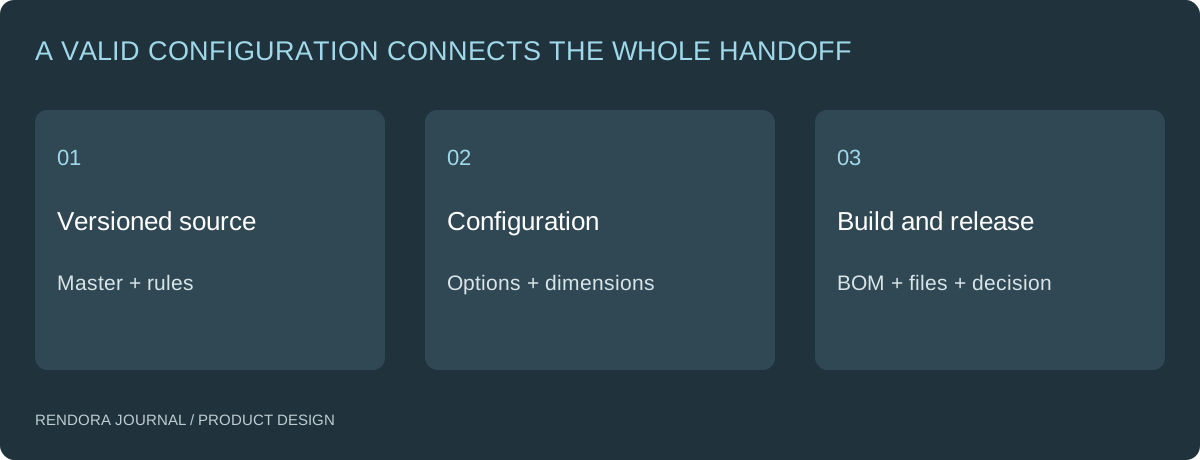
Connect each valid product configuration to a versioned source, a resolved specification and an identifiable parts list. Rebuild the affected derivatives after a change, and retain the earlier release instead of silently replacing its files.
A device has two head options and two power modules. The image shows the wide head, the BOM lists the narrow head and the dimensions came from a different power option. Every file looks plausible on its own. Together, they describe no single product.
The solution is a shared configuration identity, not more filenames containing “final.” This guide includes a real execution of Rendora’s supplied-specification resolver so you can see what is calculated and what remains a separate engineering review.
Distinguish options from derived files
A head or power module can be a product option. A review image, dimension schedule or exported STEP file is a derivative of a source and configuration. A camera angle is a presentation choice, not a new physical product variant.
Keep those identities separate. The configuration selects allowed components and parameters; a build produces the files required for a task. The release records which source, rules and configuration were accepted.
Onshape’s version-control guidance describes revision and approval workflows as part of managing product development. [1] The same principle applies when your handoff spans several tools: preserve the source history and define what a release contains.

A real resolver example with supplied dimensions
We authored a small specification fixture for an illustrative handheld device and ran the current Rendora parser and resolver on October 20, 2026. The base dimensions are length 180 mm and grip diameter 42 mm. The narrow head changes length by −10 mm; the wide head changes it by +15 mm. The battery option adds 4 mm to grip diameter; USB-C adds no dimension change.
The part identifiers below are authored fixture data, not an actual manufactured product or supplier catalog.
| Head | Power | Resolved length | Resolved grip diameter | Selected fixture parts |
|---|---|---|---|---|
| Narrow | USB-C | 170 mm | 42 mm | H-N, P-USB |
| Narrow | Battery | 170 mm | 46 mm | H-N, P-BAT |
| Wide | USB-C | 195 mm | 42 mm | H-W, P-USB |
| Wide | Battery | 195 mm | 46 mm | H-W, P-BAT |
Download the input specification and recorded resolver output. The output includes the source-input hash and the implementation hash. An unsupported power selection is recorded as ENGINEERING_SPEC_INCOMPLETE rather than receiving a fabricated parts list.
This execution checks supplied data and applies dimension adjustments. It does not measure CAD geometry, regenerate a solid or establish fit. Those reviews remain linked to the actual engineering source.
Add rules before extending the combination space
Two option axes with two choices produce four theoretical combinations in this example. Real product rules may disallow some pairings. Identify compatibility constraints before building or quoting them.
Do not export every theoretical combination as a permanent master. Retain the master and rules, resolve requested valid configurations, then build the needed derivatives. Cache identity should include the relevant source, rule and build versions so an old result is not reused after a meaningful change.
For a parts list, clarify whether repeated lines should remain separate or be consolidated. The current example resolver returns the selected lines from each option; it does not silently merge them into a purchasing BOM. A procurement-ready aggregation requires its own units, identity and quantity rules.
Make a change impact record
Suppose the wide head changes. Identify affected configurations, dimensions, parts, drawings, images and review decisions. A color-only update may affect presentation assets without changing the BOM. A connector change can affect geometry, assembly instructions and a physical prototype.
| Change | Check the dependency | Revisit the evidence |
|---|---|---|
| Material appearance | Region assignments and images | CMF decision |
| Head interface | CAD, dimensions and selected parts | Fit and assembly checks |
| Power module | Envelope, BOM and source documents | Interface and operating-case review |
| Drawing requirement | Quote and inspection package | Supplier confirmation |
Keep the old release intact. Issue a new revision with the changed inputs and a clear account of what was rebuilt and reviewed.
Package one configuration for the receiver
Rendora’s product design tool can build a specification draft containing the supplied input snapshot, resolved dimensions, BOM CSV, dimensional SVG and retained STEP source. Its STEP check covers the container and hash, not independent geometric verification.
Before issuing that package, check that the receiving task has the actual source, drawings and approvals it needs. The technical drawing guide explains the difference between a dimensional schedule and a production drawing. The prototype guide helps attach physical review evidence to the same configuration.
Download the change-impact register to record the requested change, affected derivatives and release decision.
Is a configuration the same as a revision?
No. A configuration chooses options under a source and rule version. A revision changes the source, rules or other controlled definition.
Can the BOM be inferred from the render?
Use the actual component mapping and specification. A render can help identify the intended appearance, but it is not an authoritative parts register.
Does a successful build authorize manufacturing?
It establishes that the requested files were produced by that build. Retain the separate engineering, supplier and release decisions that authorize the intended use.
References
[1] Onshape: Revisions and Version Control in CAD — revision and approval workflows.
About the author
Rendora Journal covers configurable assets, production checks and traceable delivery workflows.