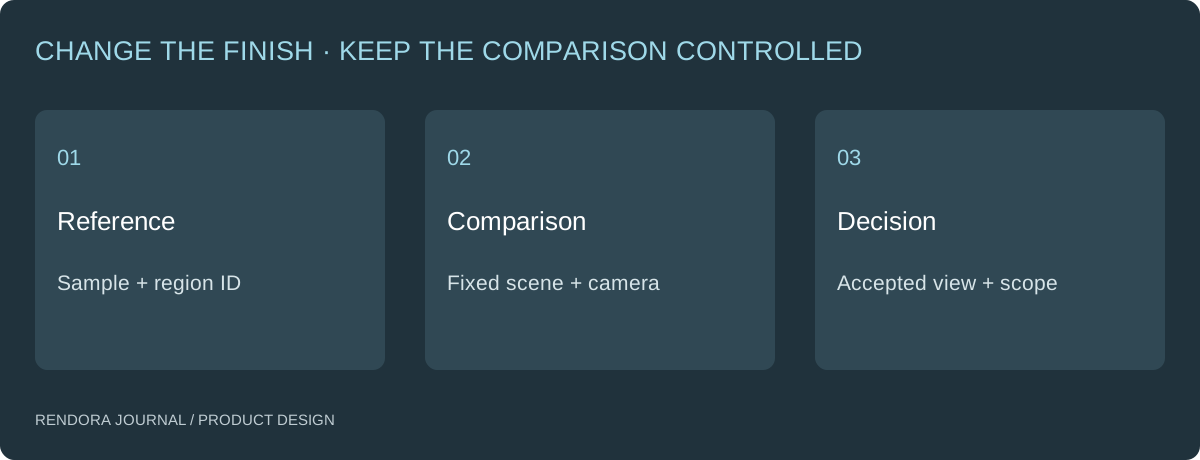
Review CMF by linking each visible region to a physical reference, a material specification and a controlled presentation. Keep geometry, lighting and camera fixed when comparing finishes, then record exactly what the reviewer accepted.
Two renders show the same housing. One uses a warmer environment and stronger reflections. The other uses flatter light. The team chooses the first “material,” even though part of the preference may come from presentation.
The problem is not that visualization is unhelpful. It is that several variables changed without being identified. A useful CMF review isolates the design choice and preserves the material reference behind it.
Start with region-level assignments
Divide the product into the regions that need distinct decisions: outer housing, grip, controls, trim and labels. Give them stable names that match the model and review sheet.
For each region, record the substrate, intended finish, physical sample identity and rendering interpretation. “Black plastic” leaves more room for disagreement than “housing reference sample H03; compare texture scale and gloss under the agreed review setup.”

Choose views that expose the finish
Use an overall view for the product’s visual balance and a detail view for the region’s difficult surface behavior. For a curved housing, a grazing reflection may reveal a transition that a front view hides. For a patterned surface, include enough context to judge its scale.
Keep the same geometry revision, camera, framing, output size and lighting for the comparison. Record the differences you intentionally introduced. Do not silently alter a bevel or label while asking reviewers to choose a finish.
| Review dimension | Keep controlled | Evidence to retain |
|---|---|---|
| Color direction | Scene and display conditions used for the comparison | Sample ID and accepted view |
| Texture scale | Product dimensions and UV interpretation | Detail view with identifiable region |
| Sheen | Lighting and camera | Comparable highlights and physical sample |
| Part matching | Region assignment and sample references | Whole-product view and region register |
KeyShot’s published CMF capabilities include managing and organizing material information. [1] Whatever rendering software you use, retain that information outside a single attractive image so the selected appearance can be traced back to a material brief.
Separate a design preference from a measured color decision
An appearance review can select a preferred direction under the recorded setup. If production requires a measured color tolerance, agree the measurement method, instrument, reference and acceptance conditions with the supplier.
Do not infer numerical color accuracy from a browser comparison. Likewise, an on-screen roughness slider is not a direct substitute for the supplier’s physical finish specification. Keep the visual interpretation and production requirement connected but distinct.
For a multi-material product, review the interfaces too. A housing and trim may each look acceptable alone but clash when assembled. Identify which pairings are allowed rather than assuming every swatch can be combined with every component.
Use a small comparison before producing every option
Select one representative product region and one difficult finish. Approve the interpretation with the reviewer, then extend it to the rest of the product.
An illustrative CMF task might compare two grip textures on the same enclosure. The first review chooses the texture direction; the second checks the selected material against an actual sample. A later supplier sample resolves physical appearance. Keep each decision named so a preferred concept is not mistaken for a production match.
The product brief should identify which of these decisions the current commission includes. For catalog image production after design acceptance, use the separate consistent color-variant imagery guide.
Make corrections specific
Record the region, observed difference, reference and requested change. “Grip texture appears too large relative to sample G02” gives the artist a target. “Make it more realistic” does not identify whether the problem is geometry, material interpretation or lighting.
Classify changes that affect the source model separately from presentation changes. A new split line may require model revision and reopen assembly documentation. A corrected light setup may only require re-exporting the affected images.
Keep the selected CMF attached to the design
Use the CMF review register to identify region assignments and accepted pairings. Leave production acceptance fields for the actual sample review.
Rendora’s product design tool can organize configurable source handoffs. Its current geometry-review PNGs simplify mesh appearance and do not carry source materials or textures; use a material-aware renderer and physical references for the CMF comparison itself.
Is one hero render enough for CMF approval?
It may select a broad direction. Add the views and sample comparisons needed to inspect texture, sheen and neighboring materials.
Should material names match the model slots?
Use stable identifiers or a clear mapping. This lets the team connect a material decision to the right component after a revision.
What changes when a supplier substitutes a finish?
Revisit the affected region and its neighboring pairings. Retain the new reference and review decision rather than overwriting the accepted material entry.
References
[1] KeyShot: CMF Capabilities — material-information management introduced in KeyShot 11; used here as a workflow reference.
About the author
Rendora Journal covers configurable assets, production checks and traceable delivery workflows.